

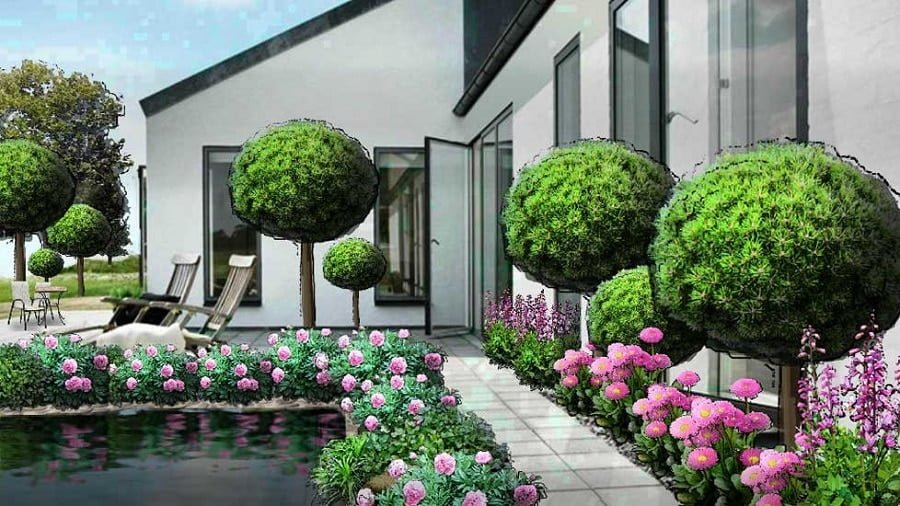
GardenPuzzle is a garden visualization tool for arranging plants and features on a photograph or prepared scene. Its strength is helping you compare how a planting might look. It does not replace a measured site plan, a drainage design or an assessment of whether a plant will thrive in your garden.
This review checks the developer’s published features and plans as of October 10, 2026. It does not report a new hands-on test or claim that the software is free of bugs. Try the available demo on your own device before paying.
What GardenPuzzle currently offers
The official website describes a photo-based workflow: choose a scene, place plants, arrange paths and extras, then create a visualization. It lists plant filters for conditions such as climate, light and soil, as well as seasonal views. Those filters use the conditions you supply; they do not inspect the site.
The developer lists browser access and Windows, Mac and iOS apps. Check the current requirements and the plan you are considering before downloading. A desktop app’s offline capability is a different consideration from using the browser version on a reliable connection.
Free and paid access
On the pricing page, the free Demo lists predefined backgrounds, 200 plants, 70 accessories and storage for 50 projects. The Individual plan is listed at $29 per year, with your own photo backgrounds, a larger plant catalog, four-season variants, iOS access and 20 rendering credits. Verify these details at checkout because plans can change.
The old description of a $9.99 six-month full version is no longer a reliable buying guide. Nor should you assume the free version allows a personal garden photo: that feature is listed with paid access.
Before subscribing, check renewal terms and what happens when access expires. The developer says existing projects remain accessible in read-only form after paid access ends. If editable long-term project files matter to you, test the available save and export options before committing your whole garden to the workflow.
A practical workflow for your first design
Start with one view
Use a prepared scene to learn the controls. If your plan supports a personal photograph, choose a clear view of the area you want to change. Begin with one border or corner rather than trying to represent the entire property in a single image.
Keep a separate measured sketch of boundaries, paths, doors and fixed services. Perspective in a photograph can disguise distance. A composition that looks spacious on screen may leave too little room to walk or maintain plants in reality.
Set the conditions honestly
Record the light you observe, soil information and climate before filtering plants. Do not choose a preferred plant first and adjust the inputs to make it appear suitable. Confirm unfamiliar selections with a regional extension service or reliable nursery, including mature size and local invasiveness.
Compare a few arrangements
Work with a limited palette initially. Compare a repeated group of plants with a mixed layout, or a lower foreground with a taller background. Keep a version of the simpler option so you can judge whether each added feature improves the design.
Use the visual result to discuss color, screening and balance. Do not resize a plant image merely to make an unsuitable mature plant fit a small space. The actual cultivar’s dimensions remain relevant after the picture looks right.
Check more than the summer view
If the selected plan includes seasonal variants, use them to consider winter structure as well as flowers. Treat the picture as an illustration, not a guarantee of simultaneous bloom. Local weather, pruning, plant age and establishment all affect the real result.
Turn the idea into a planting plan
Save the project and make a plant list. Then check quantities and spacing against the measured site. Resolve irrigation, access and soil preparation before shopping. A landscape professional may still be needed for retaining structures, significant grading or other construction.
Who is it useful for?
GardenPuzzle is worth trying if you want to explore the appearance of a border, compare planting combinations or communicate a visual idea to someone helping with the garden. The photo-based approach may be easier to relate to than an abstract plan.
If your main requirement is precise construction dimensions, engineering calculations or a scaled vegetable-crop rotation plan, assess those requirements separately. Do not assume every tool described as garden design software provides them.
For a broader comparison, see our landscape design software guide. Choose according to the output you need, then use the demo to confirm that the controls, saving options and device compatibility work for you.